

تفصیل
Lockaire lets you design a fully custom password-protected page in WordPress. Unlike other password protection plugins that use WordPress’s default plain password form, Lockaire gives you complete control — build your own layout, content, and branding using the shortcode on any page or post you create.
Features
- Protect specific pages and posts
- Redirect visitors to your custom password page
- AJAX-powered password validation
- Redirect users back to protected content after authentication
- Separate access control for pages and posts
- Password visibility toggle
- WordPress nonce security protection
سکرین شاٹاں
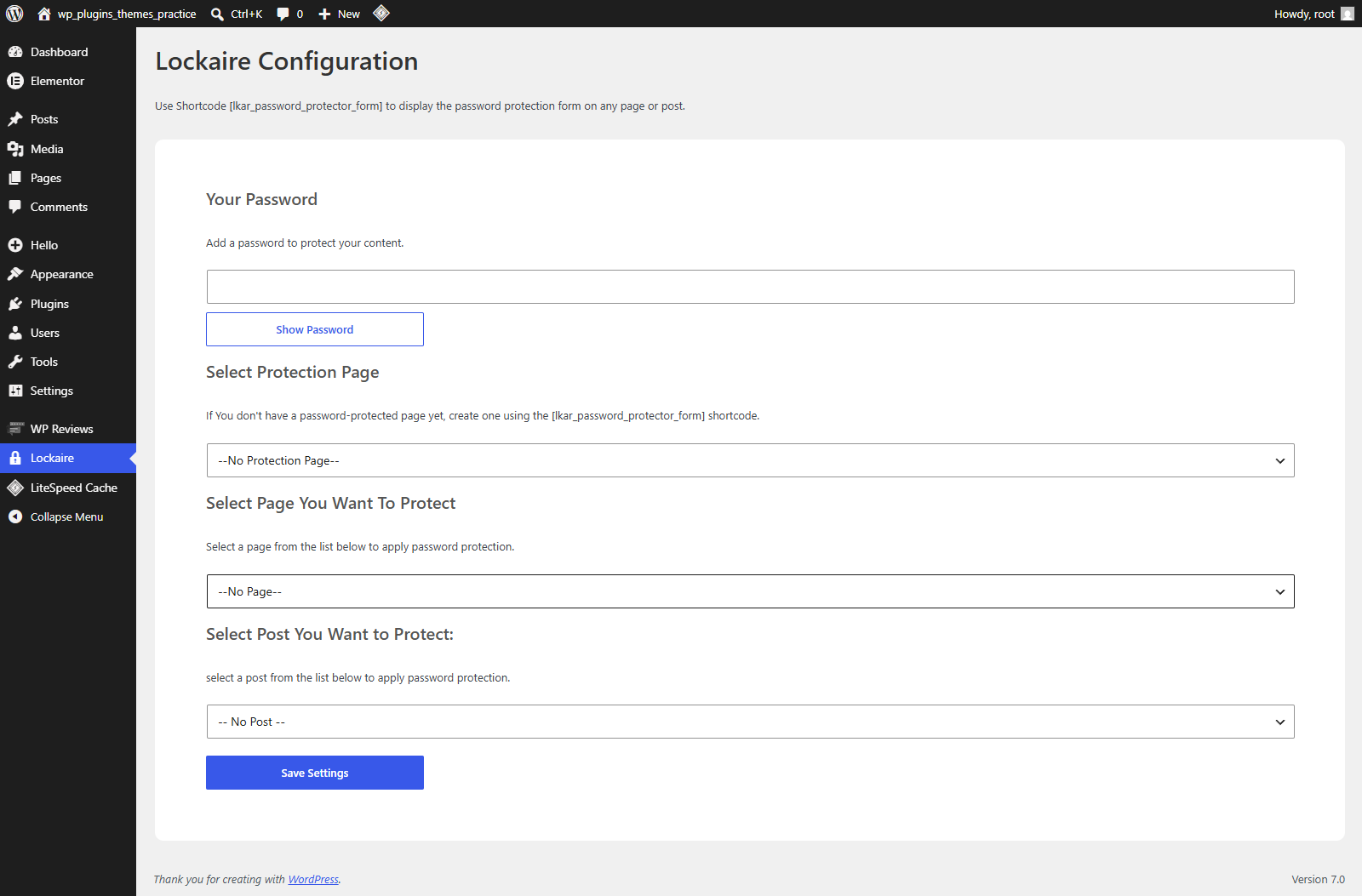
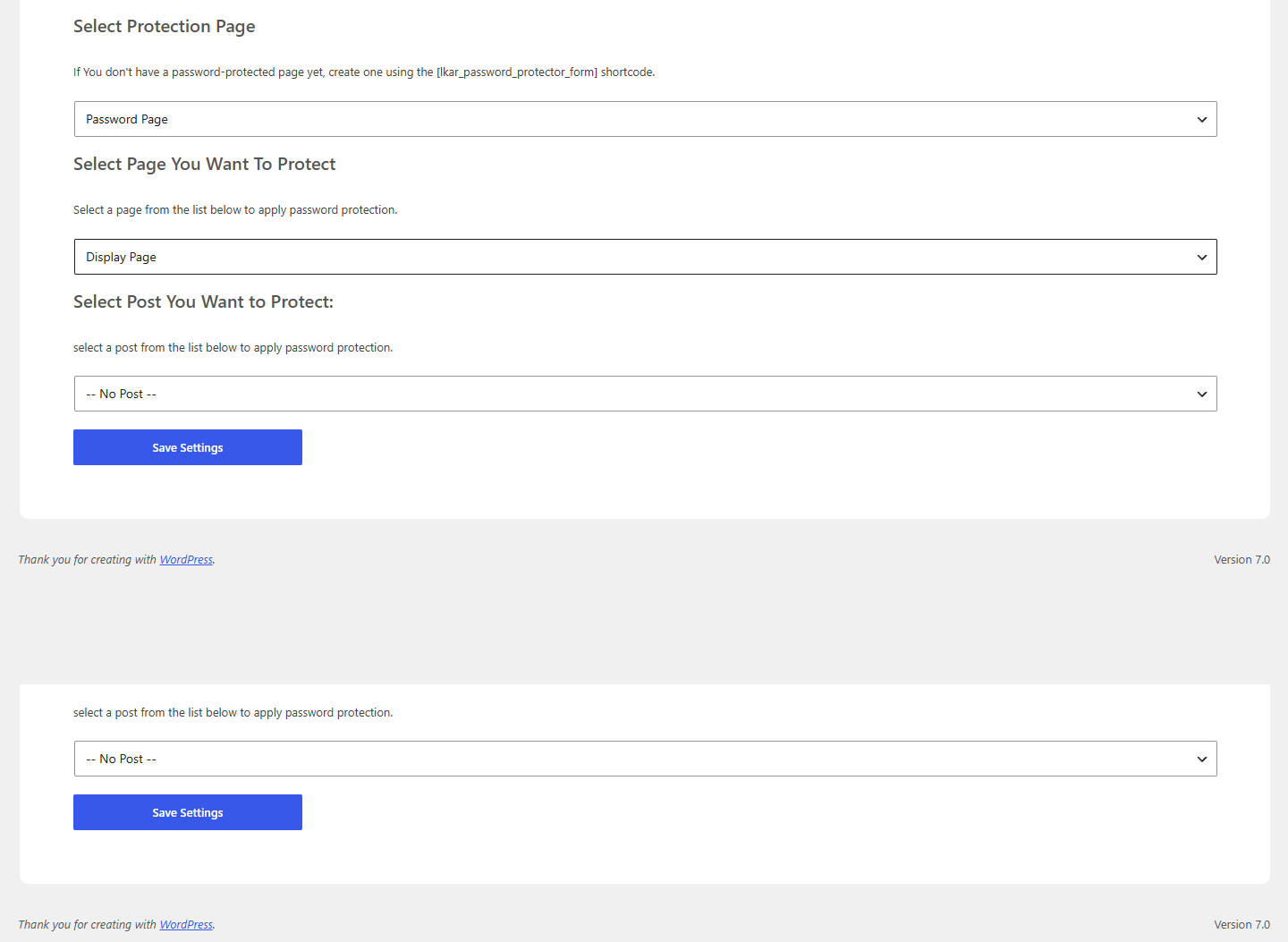
انسٹال کرݨ
- Upload the plugin folder to the
/wp-content/plugins/directory. - Activate the plugin through the ‘Plugins’ menu in WordPress.
- Create a new page and add the [lkar_password_protector_form] shortcode to it — this becomes your custom password page.
- Go to Lockaire in your dashboard and configure: select your password page, the page or post to protect, and set a password.
- Save your settings.
ہرہک دے سوال
-
How It Works
-
- A user visits a protected page or post.
- The plugin redirects them to your custom password page.
- The user enters the correct password.
- Access is granted.
- The user is automatically redirected back to the requested content.
ریویو

جولائی 13, 2026
1 reply
My client want fully custom password page i have’nt found any plugin tell this
Contributors & Developers
“Lockaire” is open source software. The following people have contributed to this plugin.
حصہ پاوݨ آلے
“Lockaire” دا آپݨی زبان وچ ترجمہ کرو۔
ڈیویلپمنٹ وچ دلچسپی ہے؟
Browse the code, check out the SVN repository, or subscribe to the development log by RSS.
تبدیلی لاگ
1.0.1
- Initial release.